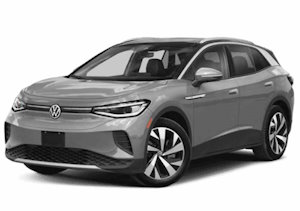
ID.4 2021 ➤
Electrical system - Edition 02.2021
3
Controls
3.1
Overview of fitting locations - controls in dash panel
The overview shows a left-hand drive vehicle as an example.
1 - Operating unit for lighting
-EX59-
❑ With light switch -E1-
❑ With switch and instru‐
ment illumination regu‐
lator -E20-, rear fog
light button -E314-,
heated rear window
button -E230-, button
for automatic lighting
control -E854-, button
for side lights -E855-,
button for dipped beam
headlights -E856-, de‐
froster button -E782-
❑ With rear fog light
warning lamp -K13-,
heated rear window
warning lamp -K10-
❑ ⇒ a3.6 nd installing op‐
erating unit for lighting
[EX59]”, page 132
2 - Electromechanical parking
brake button -E538-
❑ With electromechanical
parking brake warning
lamp -K213-
❑ Assembly: steering col‐
umn electronics control
unit -J527-
❑ ⇒ Rep. gr. 94; Remov‐
ing and installing steer‐
ing column electronics
control unit [J527]
3 - Key-operated switch to de‐
activate airbag on front pas‐
senger side -E224-
❑ ⇒ General body repairs, interior; Rep. gr. 69; Front passenger airbag; Removing and installing key-op‐
erated switch to deactivate airbag on front passenger side [E224]
4 - Centre switch module in dash panel -EX22-
❑ With operating unit 1 for driver and convenience functions -E791-
❑ With hazard warning lights button -E229-
❑ With button for driver assist systems -E617-
❑ With driving mode selection button -E735-
❑ With air conditioning system and heating button -E85-
❑ ⇒ a3.7 nd installing centre switch module in dash panel [EX22]”, page 133
5 - Starter button -E378-
❑ ⇒ a3.12 nd installing starter button [E378]”, page 136
3. Controls
127

ID.4 2021 ➤
Electrical system - Edition 02.2021
3.2
Overview of fitting locations – controls in front doors
The overview shows a left-hand drive vehicle as an example.
1 - Operating unit for win‐
dow regulator in driver door
-EX36-
❑ With childproof lock
button -E318-, operat‐
ing unit for window reg‐
ulator in driver door -
E512-, front driver side
window regulator but‐
ton -E710-, rear driver
side window regulator
button, in driver door -
E712-, rear passenger
side window regulator
button, in driver door -
E714-, front passenger
side window regulator
button, in driver door -
E715-
❑ With driver side interi‐
or locking button for
central locking system
-E308-, mirror adjust‐
ment switch -E43-, rear
window regulator isola‐
tion switch -E39-, mirror
adjustment changeover
switch -E48-
❑ With rear window regu‐
lator lock warning lamp
-K194-, driver side in‐
terior locking warning
lamp -K174-
❑ ⇒ Rep. gr. 96; Remov‐
ing and installing oper‐
ating unit for window
regulator in driver door
[EX36]
2 - Rear lid remote release
button -E233-
❑ ⇒ Rep. gr. 96; Removing and installing rear lid remote release button [E233]
3 - Front passenger side window regulator button -E716-
❑ ⇒ Rep. gr. 96; Removing and installing front passenger side window regulator button [E716]
4 - Front passenger door lock unit -VX22-
❑ With front passenger door contact switch -F3-
❑ ⇒ General body repairs, exterior; Rep. gr. 57; Door components; Removing and installing door lock
5 - Driver door lock unit -VX21-
❑ With driver door contact switch -F2-
❑ ⇒ General body repairs, exterior; Rep. gr. 57; Door components; Removing and installing door lock
3.3
Overview of fitting locations – controls in rear doors
The overview shows a left-hand drive vehicle as an example.
128
Rep. gr.96 - Lights, bulbs, switches - interior
 2024 VW ID.4 Owner's Manual